
Color Finder Image
Need the exact colour from a logo, photo or screenshot? Open the image and click any pixel to get its HEX, RGB and HSL values, or let the finder pull out the image’s main colours as a palette. The image never leaves your device.
- Free to use
- No sign-up
- Runs in your browser
Color finder
Click (or tap) the image to pick a colour. You can also paste an image with Ctrl/Cmd + V.
Colour Palette Planning Pack
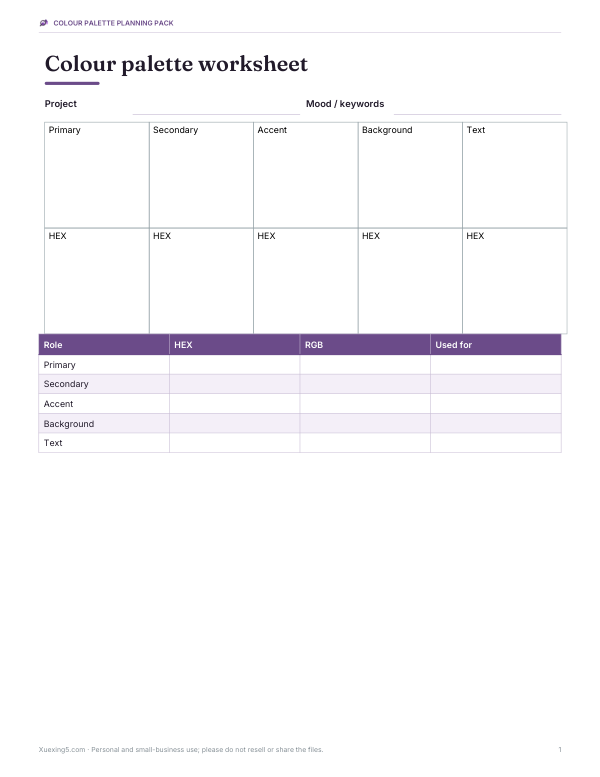
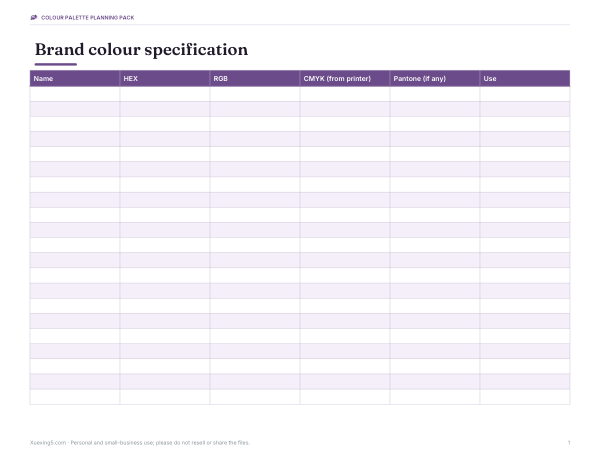
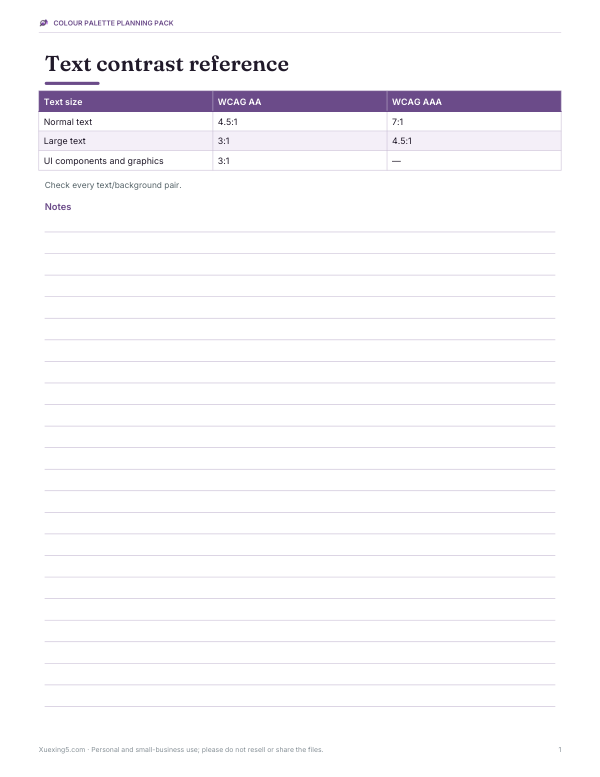
Printable colour palette worksheets, a brand colour specification sheet, a contrast checking reference and a mood board template.
- Palette worksheet (PDF)
- Brand colour spec (PDF/DOCX/XLSX)
- Contrast reference (PDF)
- Mood board (PDF)
Formats: PDF, DOCX, XLSX. Instant download after payment (link valid 72 hours, up to 5 downloads). AI-assisted: the templates were drafted with AI help and reviewed and laid out before publishing.
$5.00 USD, one-time 4 files · about $1.25 each
- Instant download
- 7-day refund
- Secure checkout by Stripe
7-day money-back guarantee. Full refund within 7 days of purchase, even after you download.
Free sample: Brand Colour Spec (PDF, 62 KB)
Full refund within 7 days — see the refund policy and license.
Free printables
Single sheets you can print right now, no sign-up. The full pack adds every sheet in one download plus the editable files.
 Printable Mood Board Template
How to find a colour in an image
- Open an image from your device — a photo, logo, screenshot or design mock-up — or paste it from the clipboard.
- Click the exact spot you want; the HEX, RGB and HSL values appear with the nearest named colour.
- Check the contrast numbers if the colour will be used behind text.
- Click a palette swatch to copy its HEX code.
- Download the palette as CSS variables or a GIMP palette file.
The image is read by your browser’s canvas and never uploaded. Very large images are scaled to 900 pixels wide for speed; picked colours are still exact for the scaled pixels.
Colour formats explained
| Format | Example | Used in |
|---|---|---|
| HEX | #2A9D8F | Web design, CSS, most design tools |
| RGB | rgb(42, 157, 143) | Screens, CSS, image editors |
| HSL | hsl(173°, 58%, 39%) | CSS; easy to make lighter or darker shades |
| CMYK | Converted by print software | Printing — ask your printer for a proof |
| Named colours | “teal”, “coral” | CSS keywords (a limited set of 140+) |
How the palette is extracted
The finder samples thousands of pixels across the image and groups similar colours with k-means clustering, then sorts the groups by how much of the image they cover. That gives the dominant colours rather than every shade. Photos with gradients produce blended averages, so for logos and flat artwork, picking colours directly usually gives cleaner values.
Worked example
A small business owner wants the exact teal from their logo for a new website. They open a screenshot of the logo and click the teal area: the finder shows #2A9D8F, rgb(42, 157, 143) and the nearest named colour “teal”. Contrast with white text is only about 3.3:1 — fine for large headings but not for body text — so they use the colour for buttons with bold text and pick a darker shade for links. They download the palette as CSS variables for their developer.
Accessibility: contrast ratios
| Text | Minimum contrast (WCAG AA) | Enhanced (AAA) |
|---|---|---|
| Normal text | 4.5:1 | 7:1 |
| Large text (about 18 pt, or 14 pt bold) | 3:1 | 4.5:1 |
| Icons and interface parts | 3:1 | — |
The finder shows the contrast of each colour against white and black text so you can choose a readable combination.
Building a palette from a photo
- Extract 6–8 colours from a photo you love.
- Choose one dominant colour for large areas and one accent for highlights.
- Add a very light and a very dark neutral for backgrounds and text.
- Check contrast for every text–background pair.
- Save the palette as CSS variables so it stays consistent across your site.
Designers often follow a 60-30-10 idea: about 60% main colour, 30% secondary, 10% accent. It’s a guideline, not a rule, but it keeps a palette balanced.
Tips for accurate picks
- Zoom in on your source image first and pick from the middle of a flat area, not an edge.
- Avoid shadows and highlights on photographed objects; pick several spots and compare.
- Use PNG screenshots rather than JPEGs where possible.
- Turn off night-light or colour filters on your screen when judging colours by eye.
Colour models in a sentence each
- RGB mixes red, green and blue light — the way screens make colour.
- HEX writes the same RGB numbers in base 16, two digits per channel.
- HSL describes hue (the colour wheel angle), saturation (how vivid) and lightness (how light or dark).
- CMYK mixes cyan, magenta, yellow and black inks for print, with a smaller range of colours than screens.
- Named colours are convenient labels for a small set of RGB values.
Uses for a colour finder
| Who | Why |
|---|---|
| Web designers | Match brand colours from logos and screenshots |
| Artists and illustrators | Sample palettes from reference photos |
| Home decorators | Find colours in a photo to match paint or fabric (confirm with physical samples) |
| Marketers | Keep social graphics on-brand |
| Developers | Grab exact values from design mock-ups |
Why colours can look different
- Screens differ in calibration, brightness and colour space.
- JPEG compression alters colours slightly, especially at edges.
- Photos capture lighting and shadows, so one object may contain many values.
- Printing converts to CMYK, which can’t show every screen colour.
- Pick from an original file (PNG or SVG) when you need brand-exact values.
Privacy
Images are processed on your device and never uploaded.
Frequently asked questions
How do I get the hex code of a colour in an image?
Open the image here and click the colour.
Is my image uploaded?
No — everything happens in your browser.
Can I get a colour palette from a photo?
Yes — the finder extracts 5 to 10 dominant colours.
What is the difference between RGB and HEX?
They’re the same colour written differently: HEX is RGB in base 16.
Can I get CMYK values?
CMYK depends on the printer profile; use your print software for accurate conversion.
Can I paste a screenshot?
Yes — press Ctrl/Cmd + V on the page.
Why does the picked colour differ from my brand guide?
Screenshots and JPEGs alter colours slightly; use the official brand values when you have them.
Can I use it on my phone?
Yes — open an image from your photos and tap to pick.
What image formats work?
Any your browser can display: JPEG, PNG, WebP, GIF and usually HEIC on Apple devices.
Does it work offline?
Once the page has loaded, picking colours doesn’t need an internet connection.
How many colours should a palette have?
Many brands use three to five main colours plus neutrals.
Can I pick from a website?
Take a screenshot of the page, then open or paste it here.